That is what the Flip Discard swapchain effect is for. It allows notifications to be drawn into a game’s framebuffer without mode switches (e.g. no adjustment for HDR, no adjustment for refresh rate, etc).
Most developers don’t understand this, it seems, and Flip Sequential is used virtually everywhere.
So you can force it thru AMD drivers then? That’s really good news actually. Will do then. Will I have to restart PC AMD Console to make it stick?
You can for NVIDIA, AMD doesn’t allow overriding of anisotropic filtering for D3D12 or Vulkan it seems.
(NVIDIA unknown for Vulkan but it works for D3D12)
EDIT: You can try though but if the game still has it as non-functional and considering what even x4 changes in terms of distant texture clarity it should show almost immediately if it works or not.
I’m a DXVK user for a lot of stuff (So it’s technically Vulkan other than D3D9 or D3D11 in games.) but DXVK’s config file allows overriding a few options so I get at it in this way instead, 16x on all and the driver profiles can work out the kinks.
Which basically means it works mostly in everything or at least nothing outright breaks but the RAGE and idTech4+ games get forced at 4x and no higher although DOOM and DOOM Eternal I think resolved it when MegaTexture went away. (Or at least the way it was used before.)
I noticed a difference. I am running into an issue. HDR in the game looks like its SDR greyish when viewing HDR on SDR monitor. I think it has something to do with my dual monitor setup.
Hey @Kaldaien, I reached out to you on the Steam Community in regards to donating a Wonderful 101 Remastered key to you back in June. I finally got my backer copy in July, I tried contacting you but I didn’t realize at the time you were dealing with moderator kerfuffles over there. I understand you’re busier than usual with having to move Special K off Steam, but if you’re up to it I’m still good with donating my extra key to you. Thanks for your time either way!
So with my dual monitor setup if I switch to window that is on my 2nd monitor the colors and such become very vibrant in my game for Horizon Zero Dawn. Do I have to actually turn off my 2nd monitor to play this game with proper HDR?
Guessing the shaders or the shader cache is prone to bugging out a bit?
D3D12 so likely a game cache somewhere, Microsoft OS cache for Win10 for D3D12 and if enabled AMD/NVIDIA caches.
No idea how invalidation works on the game although in general I wipe stored cache files on driver, game and OS updates just to be sure though I think many games are getting better about this.
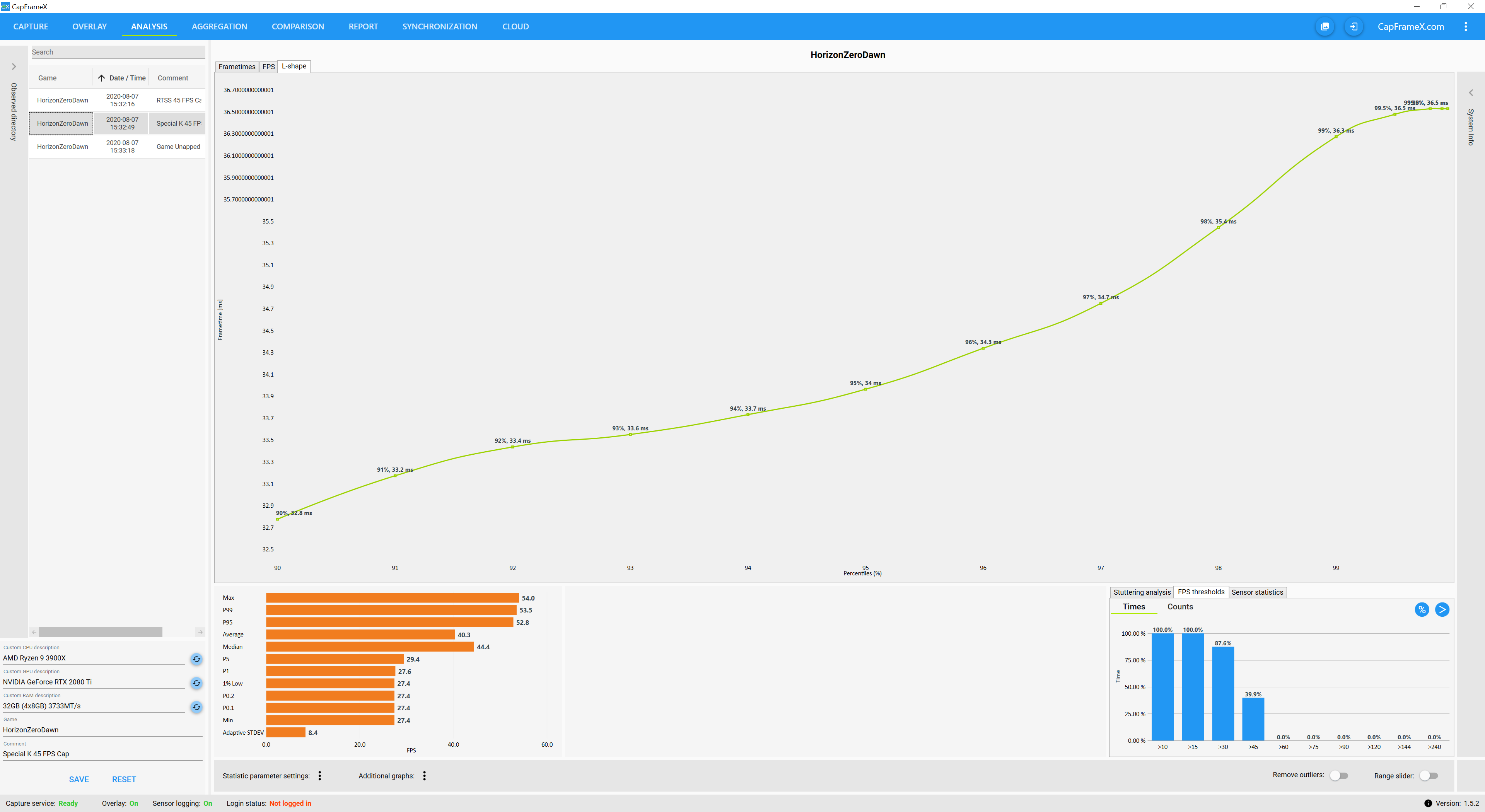
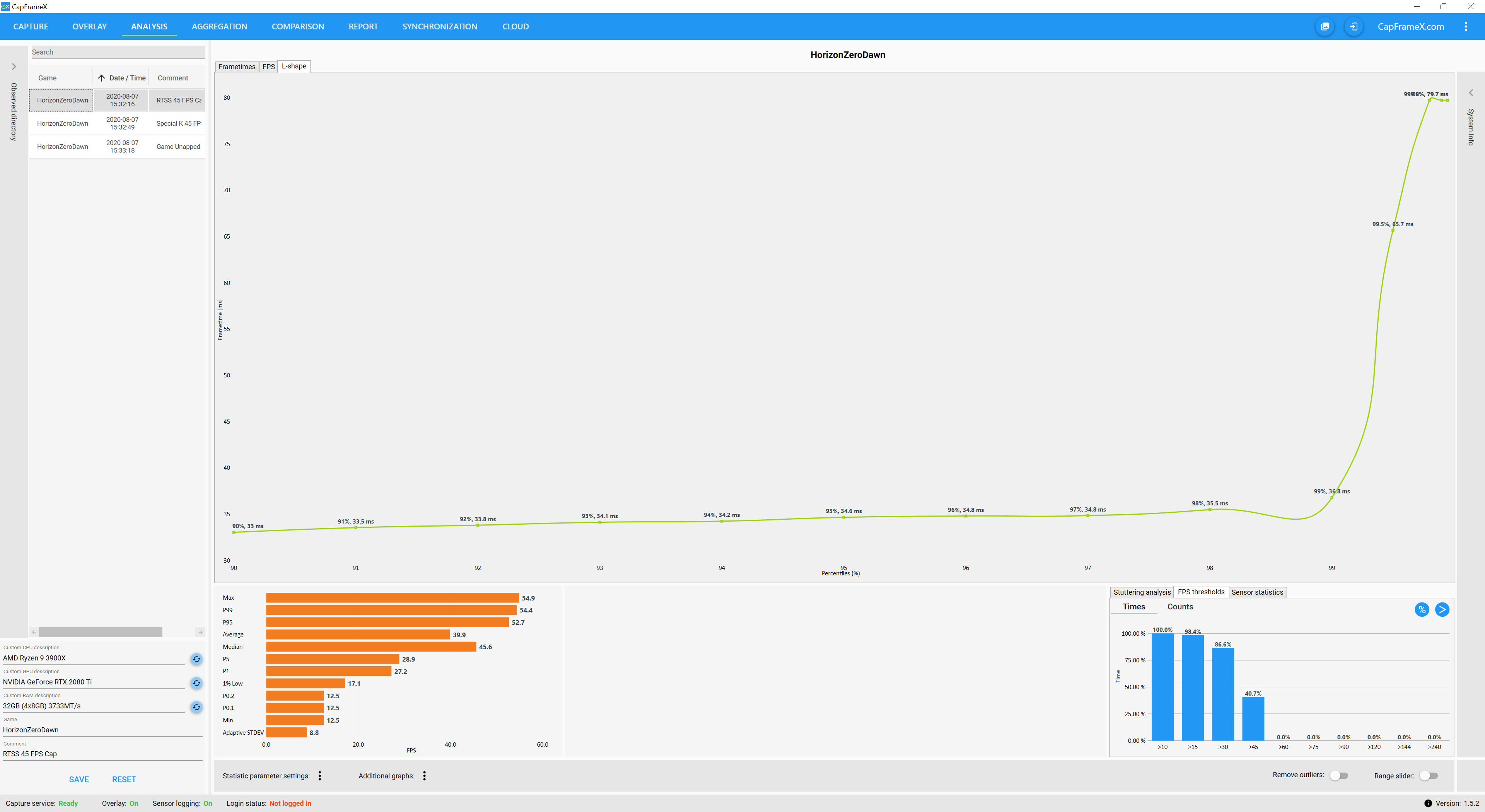
Yeah, I was actually discussing the difference a bit over on the PCGW Discord recently as RTSS’s frame time graph isn’t really geared towards tracking or showing variance in detail like Special K’s graph is.
Which is a bit annoying as it means I can have an actual visible (tiny) dip in RTSS’ frame rate graph, where the frame time graph itself remains steady – suggesting nothing was wrong at all.
\Horizon Zero Dawn\LocalCacheDX12\PSOCache.bin is the one you’re after.
Yeah this game doesn’t like Dual Monitor setup. If I allow my 2nd one to be enabled in Display settings it causes the grey / SDR look when HDR is turned on in this game. Which is quite annoying to say the least. Might have to delete the Shader cache to see if that fixes anything.
You are right its something else. Have no clue what’s happening on my end. B/c when I alt tabbed out of Fullscreen it then made HDR mode look a lot more saturated and vibrant.
Stupid Decima engine is treating any D3D12/DXGI call that produces different results than expected as a crash.
This is the reason that backbuffer overrides won’t work (they do now). The game requested 2, if it gets more than it requested, rather than ignore it (like 99.99…% of engines would), it proclaims that the game crashed.
This is going to lead to all sorts of wacky “game crashed” messages when the game’s running just fine.
Can exceptions of certain types be ignored or something or would that be difficult to override?
Suppose it could be compared with Death Stranding if it’s engine specific or a port issue for HZD only but that might not lead to much of use otherwise.
Some ports be bonkered, apparently a few things don’t change much even as much else does change.
Or whatever to say, sounds like a issue alright.
EDIT: Well it’s something of a avatar, rounded up.
EDIT: Hmm circular. Well I’ll figure out something but this works for the moment.
Huh, I wonder if that explains the random black display switch I experience when I alt+tab from the game, as I have the rest of Windows in 10-bit HDR while the game is using 8-bit HDR… ?
Looking forward to SK though ^^
Edit: Game worked great for one hour, then all of a sudden it “crashed” on me