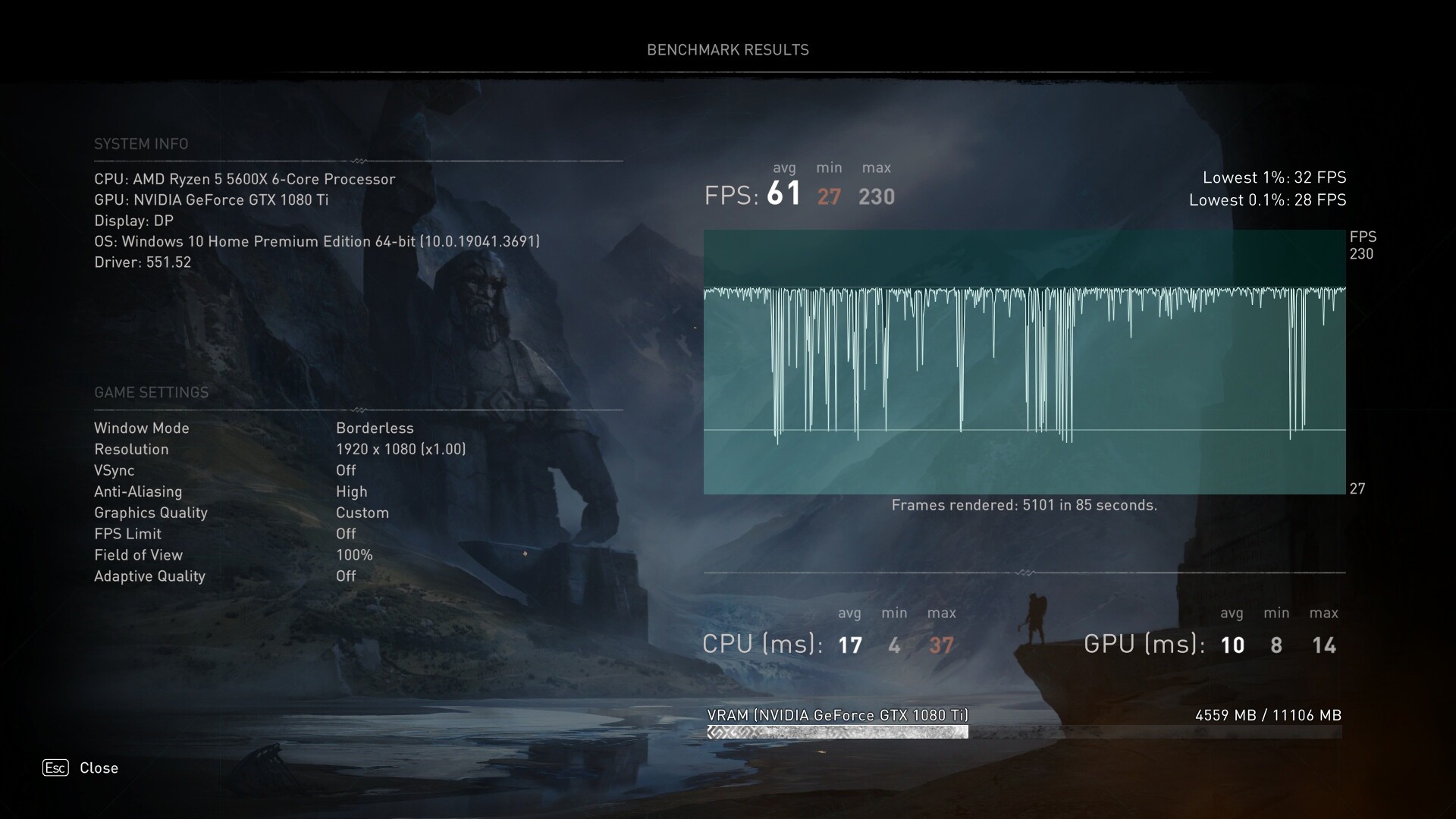
Same here, there is a sound before the crash
Bump - just now getting into ACV as I did 2x playthroughts of CP77.
So for ACV, should I just grab the latest 1.11.0 build from Github or is there an ACV optimized version in the megathread? If so could you (or someone, @Kaldaien maybe) point to it?
Use this version:
SpecialK64.7z (7.7 MB)
Switching to year / month / date versioning with the next proper release to make this stuff less confusing. The Discord server also has a #releases channel.
2 Likes
I have been using the December 31st / January 1st builds myself.
Everything works though I can’t get the OSD to display with these unlike the earlier builds but the game benefits from the settings so overall I would consider it to be functional though with some minor problems. 
And I see Kaldaien just posted a new build so that might be even better then.
(EDIT: Ah that is the December 31st build after checking.)
The game might crash at random it’s a problem from the last update before the holiday event unrelated to third party software too just in case you get some odd behavior like that.
D3D12 for this engine has been really useful although not entirely without some issues it’s certainly running really well but a few more patches should hopefully iron out these last little problems in regards to stability and general game bug fixes.
(There’s a lot of those unfortunately.)
Thanks @Kaldaien! (and @JonasBeckman) Forgot I could check Discord to get this info too. Anyway, appreciate it!
Greetings. This limiter is very noticeably better than RTSS’s however I’m encountering a problem when I use borderless windowed mode in AC:V in that it stays in regular windowed mode. I’m running 4k@80% resolution. I’ve tried resolution scaling options to no avail… not even sure if that would make a difference with Borderless. Any solution to this?
I’m using the special k (renamed dxgi.dll) version from Kal’s last post in this thread along with the latest game version 1.1.1.
Peace be upon ye.
edit: Found it. It was simply checking “Borderless” option under window management section in the UI. Durp.
huge dead zone controller d-pad (xinput) on presentation interval = 2 (half refresh)
Render latency 4 frames with waitable swapchain enabled, 3 frames without swapchain
Should it be minimal 2 frames latency with presentation interval = 2 ?
is it normal ?
Yeah, that’s normal. You’re going to add 1 screen refresh of latency for every 1 presentinterval you add. If latency is important to you, don’t use that.
If you just want (i.e. 30) a sub-refresh framerate limit, use Special K’s framerate limiter, don’t go and shoot yourself in the foot by adding unnecessary latency w/ PresentInterval=2
I specially registered to say that you are a real magician. I don’t know how, but it works! Thanks you!
Is Special K still incompatible? There’s a warning at the top of the first post from 2020.
No clue – download SK and try it out. The Download link in the top navbar of this website contains a version of Special K dated to early April – a 6 months newer version than what the opening post of this thread discusses.
I’m aware of there being newer versions of Special K, it’s just this topic claims the downloads within are “pre-configured” for AC: Valhalla. I’m not sure what changes I’d need to make if any to the configuration files of the latest Special K.
Preconfigured in this case just means this dated version of Special K comes with a config file that automatically configures required parameters for SK to have an effect on the game, and set up for a local install.
This version of SK doesn’t even have DirectX 12 rendering support, so this version of SK is unable to allow the user to change anything in-game.
Newer versions of SK have proper DX12 support.
The way development in SK works is through individual games, so you’ll usually find these sorts of dated versions of SK that targeted a specific game while development was in high flux, and eventually these sorts of features or parameters are made a part of the “main” Special K package.
Well, I ran the latest Skif, enabled Global Injection service and ran Valhalla and it doesn’t seem to have injected in to the game. Ctrl Shift O doesn’t open the overlay.
UPlay was loaded after I started Skif.
Edit: Nevermind. I guess I should more thoroughly read the Readme. Guess I gotta manually copy over the DLL and rename it to something the game recognizes.
Or something, I dunno what I’m doing with Skif. Global Injection should do what it sounds like right? Open Skif, select Special_K (or Global Injection tab), click Start Service, run the game?
Oh, some of the stuff in the Help tab is clickable and has more info than the included Readme on how to use it.
Edit: Okay, just had to add the games EXE names to the Whitelist & Ctrl Shift Backspace, instead of what the Macro.ini says.
Global injection doesn’t work in many of Ubisoft’s games. Local injection is most reliable.
I haven’t re-tested the game since this post, but one official release cycle has passed since this was written.
It seems to work so long as the UPlay overlay is disabled. It’ll immediately crash if the UPlay Overlay is enabled while using Special K.
This is also true for Anno 1800, have to disable the UPlay overlay.
@Kaldaien sorry to necro this, but I have started to get crashes in ACV with the MGS sound.
I have used SpecialK before in Horizon, but never in ACV.
- In case I forgot I used in ACV, how do I uninstall?
- If it’s somehow global, how do I remove it? I don’t have the program running.
@Kaldaien Hi dear Kaldaien. Could you make the same optimization for Cyberpunk 2077? Many people will find it useful. Thank you!